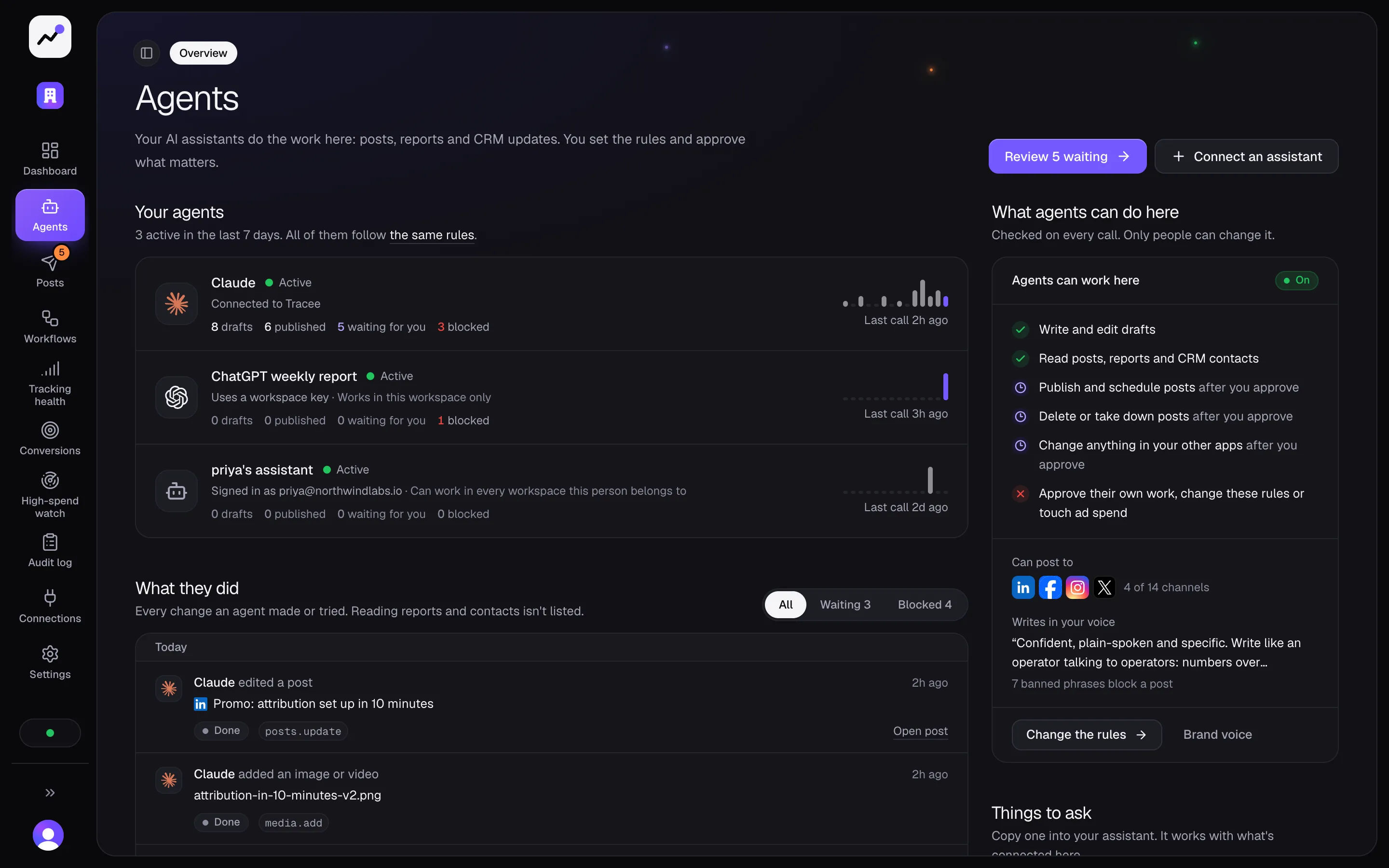
TraceeExample
Claude wants to post on LinkedIn and X
Founder series #4, Tue, Nov 10 at 9:00
Waiting for your approval
See how it worksConnect the AI you already use, like Claude or ChatGPT. It writes and schedules your posts, tells you which ones brought in customers, and keeps your CRM up to date. By default, nothing goes out until a person says yes.
Claude wants to post on LinkedIn and X
Founder series #4, Tue, Nov 10 at 9:00
Works with
It takes a few clicks. You sign in to Tracee once, and your AI only sees what your account can see.
Open Claude and go to Settings, then Connectors.
Click Add custom connector and paste your Tracee link.
Click Connect, then sign in to Tracee.
Then try asking
Which of my posts brought in the most leads last month?
Anything your AI wants to post waits in Tracee for a yes first. You can change that in Settings.
Here's a real request and what your AI does with it. The post at the end is waiting for you.
Tell your AI what you want, in your own words.
It checks your numbers and brand rules, writes a version for each channel and picks a time.
The post waits in Tracee until you say yes, then goes out when it asked to.
Requests from your AI land here.
Nothing is published until a person approves it.
Your AI is quick. Tracee keeps it on your brand, inside your rules and on the record.
Your tone and the words you never use are written down once. Your AI reads them before it writes, and a post that breaks one can't go out until it's fixed.
Posts wait for a person unless you turn that off. Deleting a post, taking one down or changing your CRM always waits. Your AI can't approve anything.
Tracee logs every action, by people and by AI, with what changed and who did it.
Your AI can see what you spend. It can't change a campaign, a budget or a bid.
ClaudeMCPdraft_post
NoneDraft, 2 channels
ClaudeMCPschedule_post
DraftWaiting for approval
One hosted MCP server, nine tools. Everything an agent does goes through the same policy and audit log as the app.
Tracee MCP server
https://traceeai.com/mcp
https://traceeai.com/mcp| Agent | How it connects | Sign-in |
|---|---|---|
| ClaudeAnthropic | Custom connector with the MCP link | OAuth sign-in |
| Claude CodeAnthropic | claude mcp add --transport http | OAuth sign-in |
| ChatGPTOpenAI | Connector in developer mode | OAuth sign-in |
| CursorAnysphere | Entry in mcp.json | OAuth sign-in |
| Gemini CLIGoogle | gemini mcp add --transport http | OAuth sign-in |
| OpenAI APIResponses API, Agents SDK | MCP tool with a bearer token | Workspace API key |
| Any MCP clientOpen standard | Streamable HTTP | OAuth or API key |
| Tool | What it's for | Actions |
|---|---|---|
| workspaces | Which workspace this connection acts on, for people in more than one. |
|
| channels | Where posts can go, which apps are connected, and links to connect more. |
|
| brand | Your tone, banned phrases and guardrails. Agents read it before they write. |
|
| media | Images and video, registered by URL and checked before they're used. |
|
| posts | Draft, schedule, publish and take down posts, with one version per channel. |
|
| approvals | What is waiting for a person, and what they decided. Agents can't approve. |
|
| analytics | Ad spend per campaign joined to CRM contacts and MQLs, and the contacts each post brought in. |
|
| crm | Contacts from HubSpot, Salesforce or Pipedrive, with the campaign or post each came from. |
|
| apps | Any action in an app you connected, like HubSpot, Slack, Gmail, Notion or Google Sheets. Reads run; changes wait. |
|
Sign-in, approvals, the audit log and what your AI can't touch.
Start a free trial, connect your AI with one link, and approve its first post.